
Scheduling gets complicated fast when you run a cleaning business.
Recurring appointments, last-minute changes, crew availability, travel time, and customer requests can quickly turn a simple calendar into an operational headache.
The right scheduling software can help you organize recurring cleans, assign the right team members, reduce scheduling conflicts, and keep both employees and customers informed.
In this guide, we compare seven scheduling software options for cleaning businesses based on scheduling features, pricing, team management, and long-term cost.
We reviewed publicly available product and pricing information from official vendor sources. Pricing was checked in September 2026 and may change.
Quick Comparison
| Software | Best For | Starting Price | Recurring Scheduling | Online Booking |
|---|---|---|---|---|
| Jobber | Best Overall | $29/mo* | Yes | Yes |
| ZenMaid | Residential Cleaning | $19/mo | Yes | Yes |
| Housecall Pro | Growing Service Teams | $59/mo* | Yes | Yes |
| Swept | Commercial Cleaning | $24/mo* | Yes | No |
| Maidily | New & Budget-Conscious Businesses | Free** | Yes | Yes |
| MaidCentral | Established Residential Companies | $450/mo | Yes | Yes |
| Connecteam | Employee Scheduling | Free*** | Yes | No |
*Annual billing rate. Month-to-month pricing is higher.
**Maidily’s Free plan includes up to 10 jobs per month and unlimited users.
***Connecteam’s Small Business Plan is free for eligible businesses with up to 10 users.
How We Compared These Tools
We compared each platform from the perspective of a cleaning business that needs to manage appointments, recurring jobs, employees, and schedule changes efficiently.
Our comparison focuses on:
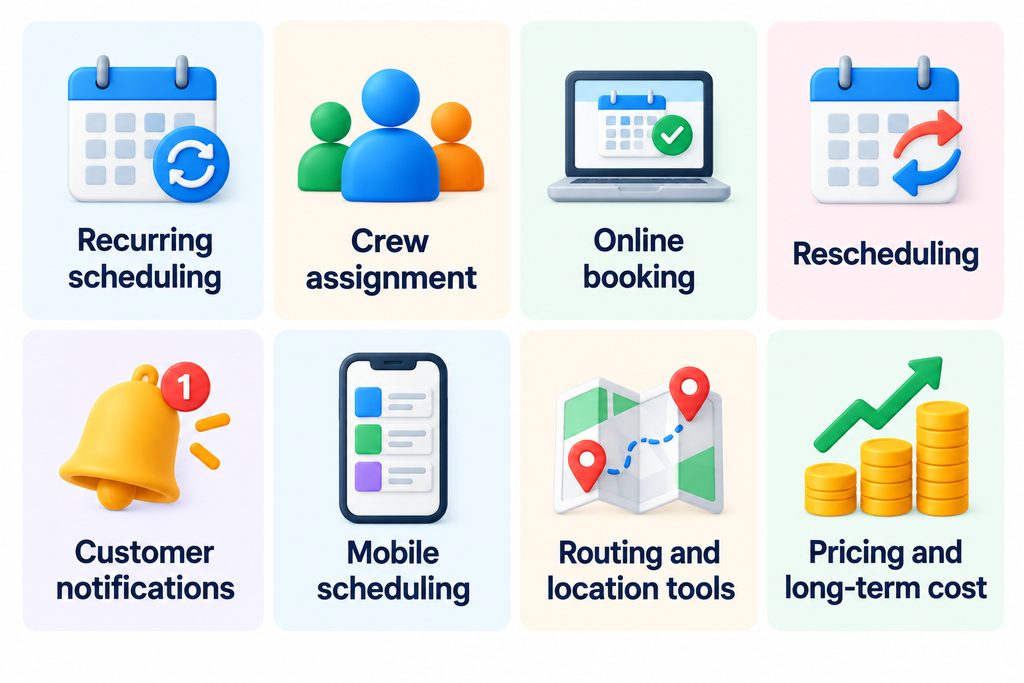
Because these platforms use different pricing models — including users, locations, appointments, and service tiers — cost comparisons are not always apples-to-apples. We explain those limitations where relevant.
The 7 Best Scheduling Software for Cleaning Businesses
1. Jobber — Best Overall
Jobber is our best overall scheduling software for cleaning businesses because it combines scheduling, recurring jobs, crew management, customer communication, and business management tools in one platform.
Cleaning companies can create one-time or recurring jobs, assign team members, view schedules from the office or field, and make changes when plans shift. Jobber also supports online booking, allowing customers to request work without relying entirely on phone calls or back-and-forth messages.
For businesses that want scheduling connected with quoting, invoicing, payments, and customer management, Jobber offers one of the broadest feature sets in this comparison.
Key Scheduling Features
- One-time and recurring job scheduling
- Crew and team-member assignment
- Drag-and-drop calendar management
- Online booking
- Schedule-change notifications
- Mobile access for field teams
- Routing and map-based scheduling tools
Pricing
Jobber offers multiple pricing plans, with costs varying by features, team size, and billing terms. Some scheduling and automation features may require higher-tier plans.
Before choosing a plan, check Jobber’s official pricing page to confirm current prices and which features are included.
Pros
- Strong recurring scheduling tools
- Combines scheduling with quoting, invoicing, and payments
- Online booking helps reduce manual scheduling
- Good mobile access for office staff and cleaning crews
- Suitable for both small businesses and growing teams
Cons
- Costs increase as you add users or move to higher-tier plans
- Businesses that only need a simple calendar may pay for features they do not use
- Some advanced operational features require higher-tier plans
Best For
Jobber is best for cleaning businesses that want scheduling to connect with the rest of their operation — from customer booking and crew assignment to invoicing and payments.
It is particularly well suited to businesses that expect to grow and want to avoid switching between separate tools as their scheduling needs become more complex.
Our verdict: Jobber is a strong option for cleaning businesses that need scheduling, customer management, and invoicing in one system. For solo cleaners with simple scheduling needs, a less expensive tool may be sufficient.
2. ZenMaid — Best for Residential Cleaning
ZenMaid is built specifically for residential cleaning businesses, which gives it an advantage for companies that manage large numbers of recurring house-cleaning appointments.
Its scheduling system supports recurring services with frequencies such as weekly, biweekly, every four weeks, and custom schedules. Managers can organize appointments through calendar, dispatch, and map views, while cleaners can access the information they need for upcoming jobs.
Unlike broader field-service platforms, ZenMaid focuses heavily on the day-to-day workflow of maid services and residential cleaning companies.
Key Scheduling Features
- One-time and recurring cleaning appointments
- Flexible recurring service frequencies
- Calendar, dispatch, and map views
- Cleaner and team assignment
- Automated customer and cleaner communications
- Mobile access to schedules and job information
- Online booking capabilities
Pricing
ZenMaid offers three main plans, with pricing based on the plan selected and the number of users.
| Plan | Starting Monthly Price | Additional Users |
|---|---|---|
| Starter | $19/month | $4/user/month |
| Pro | $39/month | $14/user/month |
| Pro Max | $49/month | $24/user/month |
The Starter plan supports up to 40 appointments per month. Businesses with more appointments or larger teams should compare plan limits, included features, and total costs before choosing.
Check ZenMaid’s official pricing page for the latest pricing and plan details.
Pros
- Designed specifically for residential cleaning businesses
- Strong support for recurring cleaning schedules
- Multiple calendar, dispatch, and map views
- Automated communications help reduce manual follow-up
- Affordable starting price for smaller cleaning businesses
Cons
- Starter plan is limited to 40 appointments per month
- Costs increase with additional users and higher-tier plans
- Less suitable for commercial janitorial operations than cleaning-specific commercial platforms
Best For
ZenMaid is best for residential cleaning and maid service businesses where recurring appointments are at the center of daily operations.
It is especially attractive for smaller teams that want cleaning-specific scheduling tools without paying for the broader field-service functionality included in some all-in-one platforms.
Our verdict: ZenMaid is a strong choice for residential cleaning businesses that manage recurring appointments and want scheduling tools designed specifically for maid services. Businesses that need broader quoting, invoicing, and payment workflows should also compare all-in-one platforms such as Jobber.
3. Housecall Pro — Best for Growing Service Teams
Housecall Pro is a broad field-service management platform with scheduling tools that work well for cleaning companies managing multiple employees and a growing volume of jobs.
Businesses can schedule one-time and recurring jobs, dispatch team members, manage changes from a calendar, and give field employees access to job details through the mobile app. Online booking and automated customer notifications can also reduce the amount of manual coordination required as the business grows.
Because Housecall Pro combines scheduling with estimates, invoicing, payments, and customer management, it is better suited to businesses looking for an operational platform rather than a standalone scheduling calendar.
Key Scheduling Features
- One-time and recurring job scheduling
- Employee scheduling and dispatching
- Online booking
- Customer reminders and notifications
- Mobile schedule and job access
- Route mapping
- Calendar-based schedule management
Pricing
Housecall Pro offers three main plans, with different prices depending on the billing option.
| Plan | Monthly Billing | Annual Billing (Monthly Equivalent) |
|---|---|---|
| Basic | $79/month | $59/month |
| Essentials | $189/month | $149/month |
| MAX | $329/month | $299/month |
Housecall Pro also offers a 14-day free trial. Before choosing a plan, compare the included features, user limits, and total cost for your team.
Check Housecall Pro’s official pricing page for current prices, billing terms, and trial availability.
Pros
- Strong scheduling and dispatching tools for multi-employee teams
- Supports both one-time and recurring jobs
- Online booking can reduce manual appointment coordination
- Customer reminders and notifications help keep schedules on track
- Combines scheduling with estimates, invoicing, payments, and CRM tools
Cons
- More expensive than simpler cleaning-specific scheduling tools
- Pricing rises significantly on higher-tier plans
- May offer more functionality than very small cleaning businesses need
Best For
Housecall Pro is a strong option for growing cleaning businesses that need to coordinate multiple employees while managing scheduling, estimates, invoicing, and payments in one platform. Smaller cleaning businesses with simpler scheduling needs may find a more specialized, lower-cost solution sufficient.
4. Swept — Best for Commercial Cleaning
Swept is designed specifically for commercial cleaning and janitorial companies, making it a strong option for businesses that schedule cleaners across multiple customer locations.
Rather than focusing on individual residential appointments, Swept organizes work around locations and recurring shifts. Managers can assign cleaners to locations, create recurring schedules, and monitor attendance from the field.
Its scheduling tools are especially useful for commercial cleaning companies where missed shifts, late arrivals, and communication between managers and cleaners can create operational problems.
Key Scheduling Features
- Recurring shift scheduling
- Cleaner assignment by location
- Mobile schedules for cleaning teams
- Late and missed-shift alerts
- Location-based workforce management
- Time tracking and attendance tools
- In-app communication between managers and cleaners
Pricing
Swept’s Launch plan starts at $30 per month when billed monthly or $24 per month with annual billing.
The plan supports unlimited users and up to 15 locations, which makes its pricing structure different from platforms that charge primarily by user.
For commercial cleaning businesses with multiple cleaners working across a relatively small number of locations, this can make Swept particularly cost-efficient.
Pros
- Built specifically for commercial cleaning and janitorial operations
- Unlimited users on the Launch plan
- Strong recurring shift and location-based scheduling
- Late and missed-shift alerts help managers identify staffing problems
- Useful mobile tools for cleaners working across multiple locations
Cons
- Less suitable for residential cleaning companies that schedule individual customer appointments
- Pricing scales with the number of locations rather than only team size
- Does not focus on customer-facing online booking like some residential and field-service platforms
Best For
Swept is a strong choice for commercial cleaning and janitorial businesses that manage recurring shifts across multiple customer locations. Its location-based scheduling, attendance tracking, and cleaner communication tools are particularly useful for teams focused on reliable shift coverage.
Businesses primarily handling residential appointments and customer self-booking may find a residential cleaning platform more suitable.
5. Maidily — Best for New & Budget-Conscious Cleaning Businesses
Maidily is built specifically for cleaning businesses and provides scheduling and business-management tools designed around cleaning-company workflows.
The platform supports recurring scheduling, customer management, online booking, and mobile access. Team scheduling is available on the Grow and Scale plans, while team location tracking is limited to the Scale plan.
Maidily also offers a Free plan for businesses completing up to 10 jobs per month. The Free plan includes unlimited users, making it an accessible starting point for newer cleaning businesses.
Key Scheduling Features
- Job scheduling and calendar management
- One-time and recurring job scheduling
- Online booking
- Customer and job management
- Unlimited users with no per-seat fees
- Mobile access for managing jobs and schedules
Pricing
Maidily offers a free plan and three paid plans, with pricing primarily based on monthly job volume rather than the number of users.
| Plan | Monthly Price |
|---|---|
| Free | $0 |
| Start | $29/month |
| Grow | $49/month |
| Scale | $99/month |
The Free plan supports up to 10 jobs per month. All plans include unlimited users, while advanced team scheduling and location tracking are available only on selected paid plans.
Annual billing may offer lower effective monthly prices. Check Maidily’s official pricing page for current pricing, job limits, and included features before choosing a plan.
Pros
- Built specifically for cleaning companies
- Offers a free plan for businesses getting started
- Unlimited users with no per-seat fees
- Supports recurring scheduling and online booking
Cons
- Free plan is limited to 10 jobs per month
- Team scheduling is available only on Grow and Scale plans
- Team location tracking requires the Scale plan
- Costs increase as monthly job volume grows and more advanced features become necessary
- May be less suitable for larger commercial cleaning operations with complex workforce-management requirements
Best For
Maidily is best for new or budget-conscious cleaning businesses that want software built specifically for cleaning companies without per-user fees.
Its Free plan can work for businesses completing up to 10 jobs per month, while growing businesses can move to paid plans as their job volume and scheduling needs increase.
6. MaidCentral — Best for Established Residential Cleaning Companies
MaidCentral is a cleaning-business management platform aimed at established residential cleaning companies with more complex scheduling and operational needs.
Its scheduling system includes recurring appointments, online booking, mapping tools, and a master schedule for managing jobs across teams. MaidCentral also supports common residential cleaning frequencies such as weekly, biweekly, every three weeks, every four weeks, and custom recurring schedules.
Compared with lower-cost tools in this list, MaidCentral is positioned as a more comprehensive operational system for cleaning companies that have already reached meaningful scale.
Key Scheduling Features
- Recurring cleaning schedules
- Master schedule for company-wide visibility
- Online booking
- Team and job scheduling
- Advanced mapping tools
- Weekly, biweekly, three-week, four-week, and custom frequencies
- Integrated operational management tools
Pricing
MaidCentral starts at $450 per month, with costs potentially increasing based on factors such as business locations and completed jobs. Onboarding fees are not publicly disclosed.
Because pricing varies by business needs, request a personalized quote to understand the total cost before committing.
Pros
- Built specifically for residential cleaning businesses
- Strong support for complex recurring schedules
- Master schedule provides visibility across teams and jobs
- Online booking and mapping tools are built into the platform
- Designed for established cleaning companies with more complex operations
Cons
- $450 per month starting price is significantly higher than most tools in this comparison
- Pricing can increase based on business size and completed jobs
- Onboarding costs are not publicly disclosed
- Likely too expensive and complex for new or very small cleaning businesses
Best For
MaidCentral is best for established residential cleaning companies that have outgrown simpler scheduling tools and need greater control over recurring appointments, teams, and day-to-day operations.
Its higher price makes the most sense for businesses that can benefit from a comprehensive cleaning-specific management platform rather than a basic scheduling solution.
7. Connecteam — Best for Employee Scheduling
Connecteam takes a different approach from most of the platforms in this comparison. Rather than being built specifically for cleaning businesses, it focuses on employee scheduling, workforce management, communication, and day-to-day team operations.
Managers can create and publish employee schedules, assign shifts and jobs, and give cleaners access to their schedules through the mobile app. This can work particularly well for cleaning companies whose main scheduling challenge is coordinating employees rather than managing customer bookings.
For eligible small businesses with up to 10 users, Connecteam also offers a free Small Business Plan, making it an attractive option for small cleaning teams focused primarily on workforce scheduling.
Key Scheduling Features
- Employee and shift scheduling
- Job assignment
- Recurring shifts
- Mobile schedule access
- Team communication
- Time tracking
- Availability and scheduling management
Pricing
Connecteam offers two free options for eligible teams:
- Small Business Plan (up to 10 users): Free access to scheduling and other workforce-management tools.
- Limited Plan (11–30 users): Free access to essential scheduling features, with more restrictions than paid plans.
Paid Operations plans offer additional scheduling capabilities for businesses that need more advanced workforce management.
Connecteam is best evaluated as an employee-scheduling and team-management platform rather than a complete replacement for cleaning-business software that handles customer bookings, estimates, and invoicing.
Pros
- Free Small Business Plan for eligible teams with up to 10 users
- Strong employee and shift scheduling tools
- Mobile-first design works well for cleaners in the field
- Combines scheduling with time tracking and team communication
- Useful for businesses focused primarily on workforce coordination
Cons
- Not designed specifically for cleaning businesses
- Does not provide the same customer-facing booking workflow as dedicated cleaning platforms
- Businesses needing quoting, invoicing, and customer management may need additional software
- The free Limited Plan for 11–30 users provides fewer scheduling capabilities than the paid Operations plans
Best For
Connecteam is best for cleaning businesses whose main challenge is scheduling and coordinating employees rather than managing customer appointments.
It is particularly compelling for small teams that qualify for the free plan, as well as larger cleaning companies that want scheduling, time tracking, and employee communication in one workforce-management platform.
Scheduling Feature Comparison
Scheduling needs vary depending on whether you run a residential cleaning company, a commercial operation, or a team-focused business. The table below compares the scheduling features that matter most for day-to-day cleaning operations.
Scroll horizontally to view all scheduling features.
| Software | Recurring Scheduling | Crew Assignment | Online Booking | Customer Notifications | Mobile Scheduling | Routing / Location Tools |
|---|---|---|---|---|---|---|
| Jobber | Yes | Yes | Yes | Yes | Yes | Yes |
| ZenMaid | Yes | Yes | Yes | Yes | Yes | Yes |
| Housecall Pro | Yes | Yes | Yes | Yes | Yes | Yes |
| Swept | Yes | Yes | No | Yes | Yes | Yes |
| Maidily | Yes | Yes* | Yes | Yes | Yes | Limited |
| MaidCentral | Yes | Yes | Yes | Yes | Yes | Yes |
| Connecteam | Yes | Yes | No | Limited | Yes | Ye |
*Maidily’s team scheduling feature is available on the Grow and Scale plans.
Feature availability can vary by plan. “Limited” means the platform offers related functionality but not the same customer-facing or cleaning-specific workflow as the more specialized platforms in this comparison.
What This Comparison Means
No single scheduling platform is the best fit for every cleaning business.
Jobber and Housecall Pro provide the broadest combination of scheduling and business-management tools, while ZenMaid is more tightly focused on recurring residential cleaning.
Swept stands out for commercial cleaning operations built around recurring shifts and customer locations. MaidCentral targets larger residential cleaning companies with more complex operations, while Maidily provides a free entry point for very small cleaning businesses, subject to its Free plan’s job limit.
Connecteam is different from the other tools because its strength is employee scheduling and workforce management rather than customer booking and cleaning-business administration.
3-Year Cost Comparison
Monthly subscription prices do not always reveal the true cost of scheduling software as a cleaning business grows. The table below compares estimated three-year costs for teams of 1, 5, and 10 users.
Estimates are based on pricing available in September 2026, assuming rates remain unchanged for 36 months. Actual costs may vary by plan, usage, and future price changes.
| Software | 1 User | 5 Users | 10 Users |
|---|---|---|---|
| Jobber | $1,044 | $5,364 | $8,244 |
| ZenMaid | $684 | $1,260 | $1,980 |
| Housecall Pro | $2,124 | $5,364 | $16,164 |
| Swept | $864 | $864 | $864 |
| Maidily | $0* | $0* | $0* |
| MaidCentral | $16,200+ | $16,200+ | $16,200+ |
| Connecteam | $0** | $0** | $0** |
Cost Calculation Assumptions
| Software | Calculation Assumptions |
|---|---|
| Jobber | Annual billing: Core ($29/month) for 1 user; Connect ($149/month) for 5 users; Connect ($229/month) for 10 users. |
| ZenMaid | Starter plan at $19/month, including one Owner profile. Each additional user costs $4/month. Estimates assume 1, 5, or 10 total users, including the Owner. Limited to 40 appointments per month. |
| Housecall Pro | Annual billing: Basic ($59/month) for 1 user; Essentials ($149/month) for 5 users; MAX ($299/month) plus two additional users at $75/month each for 10 users. |
| Swept | Launch plan at $24/month with annual billing. Unlimited users, up to 15 locations. |
| Maidily | Free plan ($0) for up to 10 jobs per month, with unlimited users. |
| MaidCentral | Starting price of $450/month. Actual costs depend on locations and job volume; onboarding fees are not publicly disclosed. |
| Connecteam | Free Small Business Plan ($0) for eligible teams with up to 10 users. |
All estimates cover 36 months at unchanged rates, excluding free trials. Actual costs may vary based on plan selection, usage, additional fees, and future price changes.
What the Numbers Show
The lowest three-year cost does not automatically mean the best scheduling software.
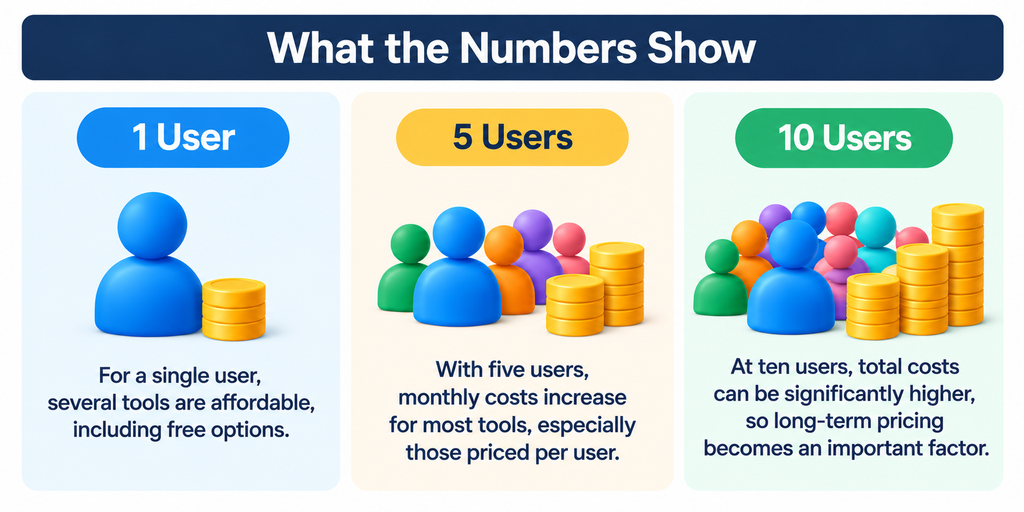
- Lowest entry cost: Maidily and Connecteam offer free options for eligible businesses, but their limits and features differ.
- Predictable team costs: Swept’s Launch plan includes unlimited users, keeping its estimated three-year cost at $864 within the 15-location limit.
- Broader capabilities: Jobber, ZenMaid, and Housecall Pro offer more cleaning-business management features, while MaidCentral targets established operations at a higher starting price.
Bottom line: Choose software based on the scheduling features your business needs—not just the lowest subscription price.
Which Scheduling Software Is Right for Your Cleaning Business?
The right choice depends on how your cleaning business operates, what you need to schedule, and how much complexity you want the software to handle.
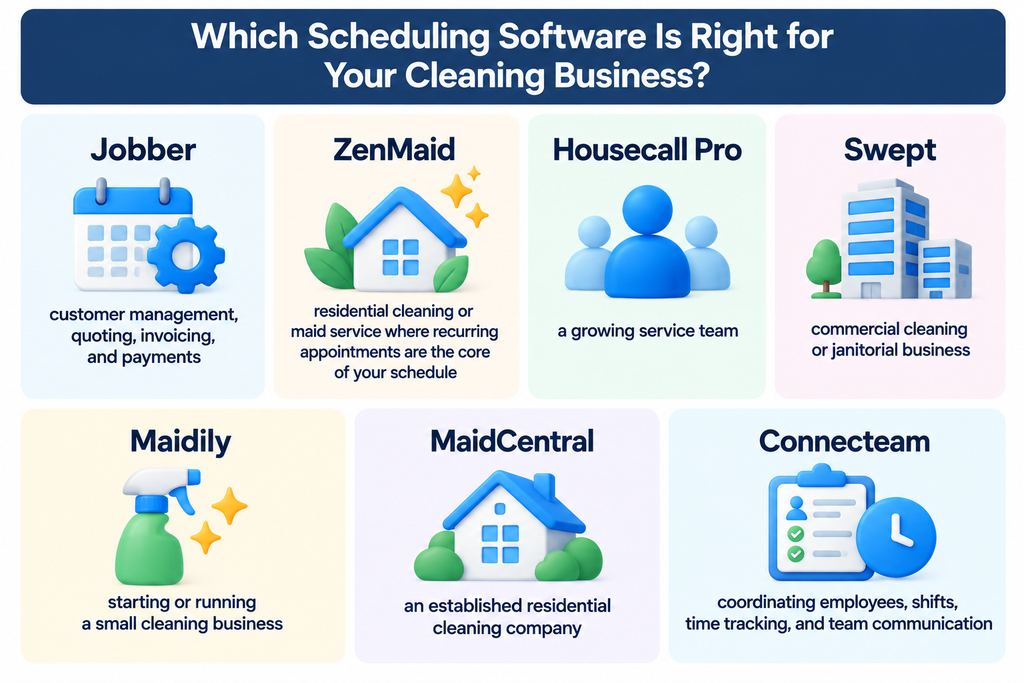
Use the guide above to narrow your options based on your cleaning business type, team size, and scheduling priorities.
Our Overall Pick
For cleaning businesses that need scheduling, customer management, estimates, invoicing, and payments in one platform, Jobber is our overall pick. It offers a practical balance of scheduling and business-management features without requiring separate tools for everyday operations.
However, specialization matters. ZenMaid may be a better fit for recurring residential cleaning, while Swept is designed around the very different scheduling needs of commercial cleaning operations.
The best choice is therefore the platform that matches how your business actually schedules work — not simply the one with the longest feature list.
Frequently Asked Questions
What is the best scheduling software for a cleaning business?
Jobber is a strong all-around choice for scheduling and business management. ZenMaid specializes in recurring residential cleaning, while Swept focuses on commercial cleaning and janitorial operations.
What scheduling software is best for a small cleaning business?
Maidily offers a free plan for businesses completing up to 10 jobs per month. Connecteam provides a free option for eligible small teams, while ZenMaid is worth considering for residential cleaning businesses.
Can cleaning business software handle recurring appointments?
Yes. All seven platforms in this comparison support some form of recurring scheduling, although the features and workflows differ by platform and plan.
Do I need online booking for my cleaning business?
Not necessarily. Online booking is useful for residential cleaners handling frequent customer appointments, but may be less important for commercial cleaning companies working with recurring contracts.
Is free scheduling software enough for a cleaning business?
Free software can be sufficient for small operations. However, job limits, user restrictions, and advanced features may make a paid plan necessary as the business grows.
Final Take
The best scheduling software depends on how your cleaning business operates—not simply the number of features or the lowest monthly price.
For an all-in-one solution, Jobber is our overall pick. However, specialized platforms may be a better fit for residential cleaning, commercial operations, or employee-focused scheduling. Consider your current workflow, team size, and long-term costs before choosing.
Looking for More Than Scheduling?
Need more than scheduling? Compare invoicing, CRM, payments, and other essential tools in our complete guide to the best cleaning business software.