
Housecall Pro is a field service management platform designed to help home service businesses manage jobs, customers, employees, invoices, and payments in one place.
For cleaning businesses, that can mean replacing a collection of calendars, spreadsheets, payment tools, and customer records with a more connected workflow.
But Housecall Pro is not cheap compared with basic scheduling tools.
So is it actually worth paying for?
This Housecall Pro review looks specifically at how the platform fits cleaning businesses, including scheduling, recurring jobs, customer management, invoicing, payments, team management, pricing, and its biggest pros and cons.
Housecall Pro at a Glance
| Category | Housecall Pro |
|---|---|
| Best For | Cleaning businesses that need scheduling, dispatching, CRM, invoicing, and team management |
| Starting Price* | $59/month |
| Scheduling | Yes |
| Recurring Jobs | Yes |
| Online Booking | Yes |
| Estimates | Yes |
| Invoicing | Yes |
| Online Payments | Yes |
| Customer Management | Yes |
| Mobile App | Yes |
| Team Management | Yes |
| Free Trial | 14 days |
*Starting price is based on annual billing at the time of publication. Pricing and included features can change.
Housecall Pro covers most of the operational tasks a cleaning company would expect from field service management software.
Its strongest value becomes clearer when a business has recurring customers, multiple cleaners, frequent schedule changes, and enough administrative work to justify paying for automation.
What Is Housecall Pro?
Housecall Pro is software for running field service businesses.
Home cleaning is one of the industries the company specifically supports.
Instead of managing each part of the business separately, Housecall Pro can connect the customer lifecycle:
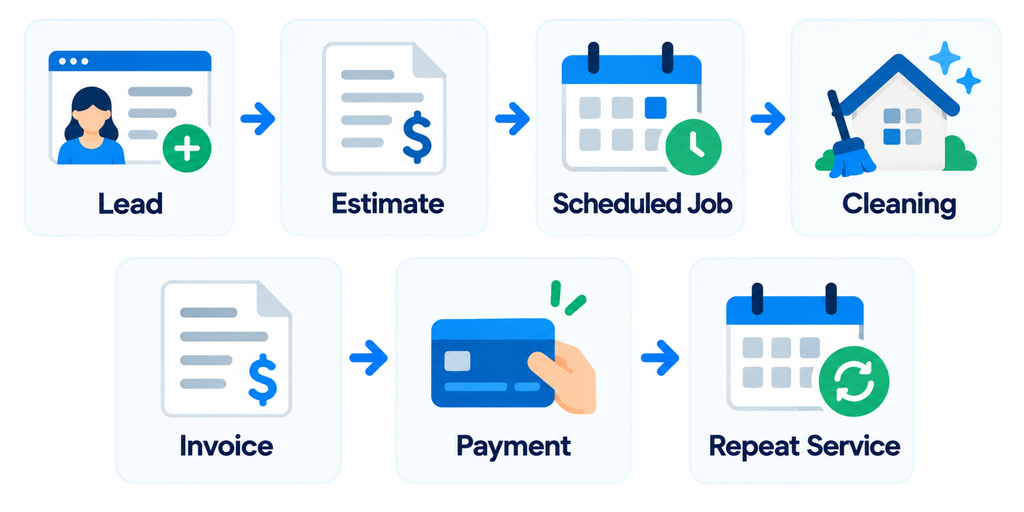
The platform includes tools for:
- Scheduling and dispatching
- Online booking
- Customer management
- Estimates
- Invoicing
- Payments
- Recurring work
- Employee coordination
- Review management
- Reporting
Higher plans add additional tools for larger or more complex operations.
The important question for a cleaning company is not whether Housecall Pro has a long feature list.
It is whether those features make everyday operations easier.
1. Scheduling and Dispatching
Scheduling is one of Housecall Pro’s core features.
Businesses can create one-time or recurring jobs, assign employees, move appointments on the calendar, and update job details.
For example:
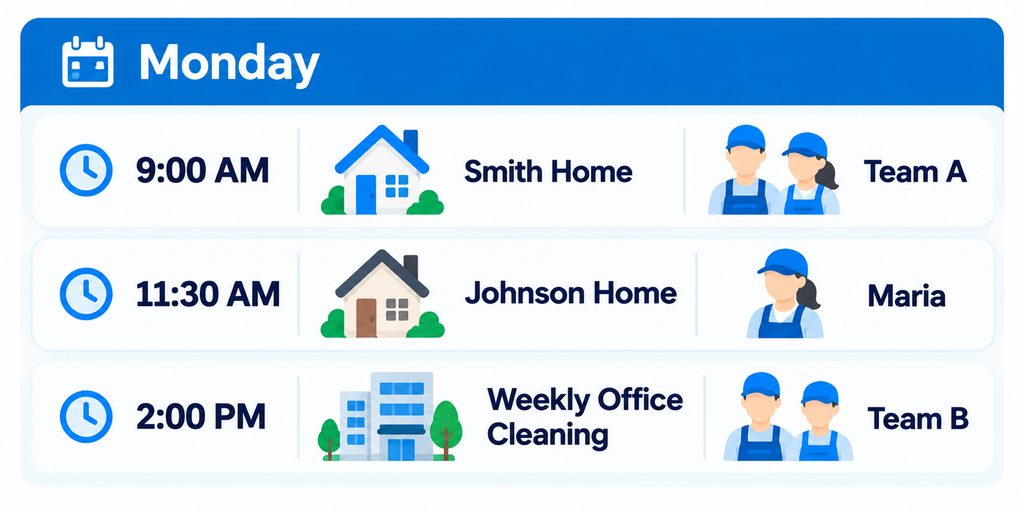
If a customer changes an appointment, office staff can update the schedule instead of maintaining separate calendars for each cleaner.
Housecall Pro also provides dispatching functionality designed to help coordinate employees working in the field.
For a solo cleaner, some of this may be unnecessary.
For a company running several crews each day, it can become much more valuable.
2. Recurring Cleaning Jobs
Recurring service is central to many cleaning businesses.
Customers may book:
- Weekly cleaning
- Biweekly cleaning
- Every four weeks
- Monthly cleaning
- Custom recurring schedules
Housecall Pro supports recurring jobs and recurring service plans.
That matters because recurring work should not require rebuilding the same job every time a customer needs service.
A useful recurring workflow should let you:
- Create the customer.
- Define the service.
- Set the frequency.
- Assign the cleaner or crew.
- Schedule future visits.
- Adjust individual appointments when necessary.
- Maintain the customer’s service history.
For a cleaning business with dozens or hundreds of recurring customers, reducing the manual work behind this process can be one of the strongest reasons to use dedicated software.
3. Online Booking
Housecall Pro allows customers to book services online.
Businesses can configure services, pricing, availability, and service areas, then share the booking experience through their website, social media, email, or Google.
Customers can select available services and book without calling the business.
For example:
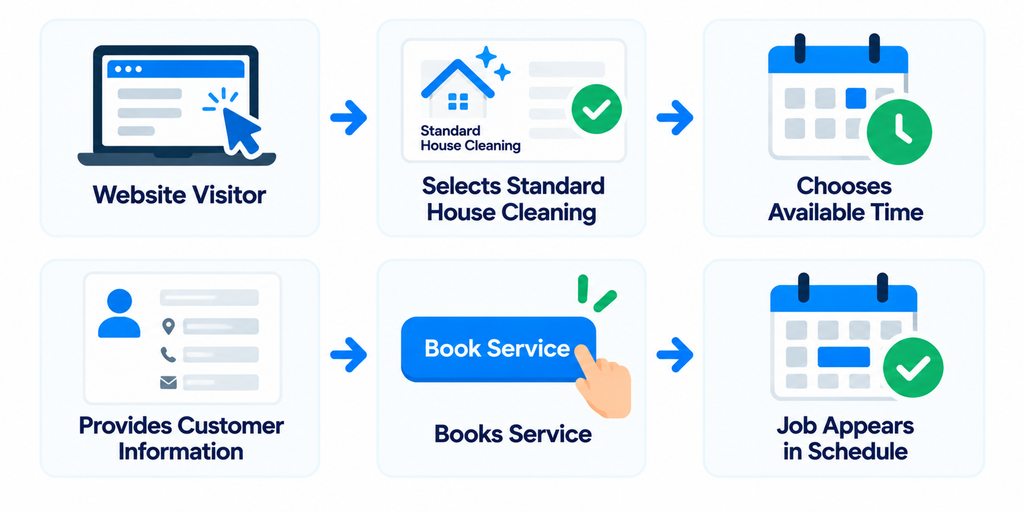
Housecall Pro also supports collecting deposits or payments during online booking.
That can reduce the number of manual steps between a new customer finding your business and appearing on your schedule.
4. Customer Management
Housecall Pro also acts as a customer management system.
Instead of storing customer details in one tool and job information somewhere else, the platform can connect customer information with operational records.
A customer profile may help your team access information such as:
- Contact details
- Address
- Job history
- Estimates
- Invoices
- Payments
- Upcoming appointments
- Communication
For a cleaning company, this becomes increasingly useful as the customer base grows.
When someone calls, office staff should be able to answer basic questions without searching through several systems.
What service does this customer receive?
When is the next cleaning?
What happened during the last visit?
Is there an unpaid invoice?
What does the team need to know before arriving?
That is the practical value of having customer management connected to the job workflow.
For more CRM options, see our Best CRM for Cleaning Businesses: 7 Tools Compared.
5. Estimates and Proposals
Housecall Pro supports estimates that can move into the job workflow after approval.
This can be useful for services where the final price is not determined instantly.
Examples include:
- Deep cleaning
- Move-in cleaning
- Move-out cleaning
- Post-construction cleaning
- Commercial cleaning
- Large one-time projects
The basic workflow can look like:
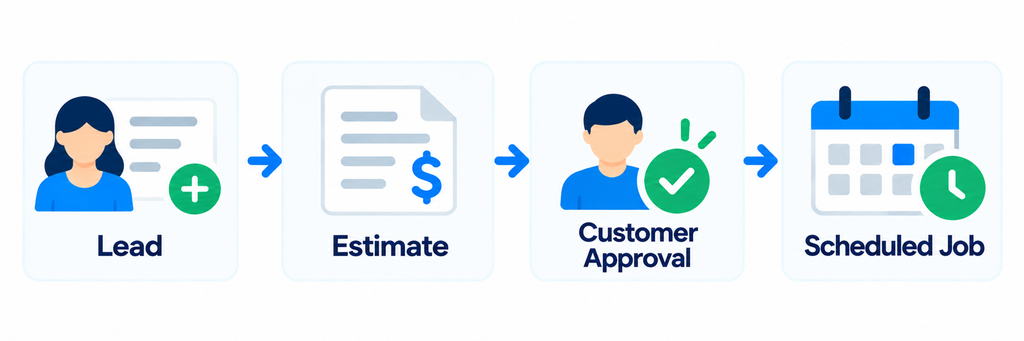
Higher-level sales tools can also support more detailed proposals.
For a simple residential cleaning company with fixed prices, advanced proposal tools may not be essential.
For businesses selling larger jobs, they can become more useful.
6. Invoicing and Payments
Housecall Pro connects invoicing and payments to the job workflow.
Businesses can create digital invoices, send them to customers, track payment status, and accept payments.
Automated invoice reminders can also reduce the need to manually chase customers.
For recurring cleaning, a smoother workflow might look like:
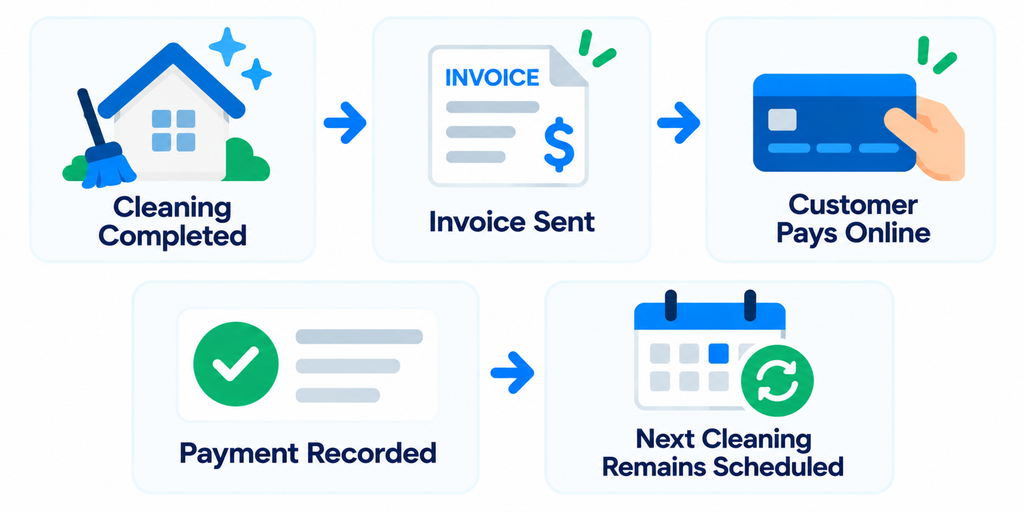
Housecall Pro also allows payments to be collected through online booking, which can help businesses secure appointments before the job begins.
The value here is not simply creating an invoice.
It is reducing the number of separate administrative steps required to get paid.
7. Team Management
Housecall Pro becomes more compelling as a cleaning company adds employees.
A manager may need to know:
- Who is working today?
- Which jobs are assigned to each cleaner?
- Has the team arrived?
- Has the job been completed?
- Did the schedule change?
- What customer instructions does the cleaner need?
- Where should the crew go next?
Housecall Pro provides field-service tools for coordinating office staff and employees working outside the office.
Depending on the plan, additional capabilities include routes, employee GPS tracking, and route optimization.
Those features are less important to a solo cleaner.
They become more relevant when several crews are moving between customer locations throughout the day.
Housecall Pro Pricing
Housecall Pro currently offers three main plans.
| Plan | Annual Billing Price* | Included Users |
|---|---|---|
| Basic | $59/month | 1 |
| Essentials | $149/month | Up to 5 |
| MAX | $299/month | Up to 8 |
*Prices shown are based on annual billing at the time of publication. Monthly billing costs more, and optional products or additional users can increase total cost.
Basic
Basic is designed for smaller operations and includes core tools such as scheduling, dispatching, online booking, estimates, invoicing, payments, and customer management.
For a solo cleaner, this is the most obvious plan to evaluate first.
Essentials
Essentials supports up to five users at its published annual-billing price.
It adds functionality aimed at businesses that need more advanced operations and team management.
This can make it more relevant for a cleaning company that has moved beyond the owner doing everything alone.
MAX
MAX supports up to eight users at its published annual-billing price and adds more advanced capabilities.
A larger cleaning company should compare the additional features against the workflows it actually needs rather than automatically choosing the highest plan.
The important calculation is:
Software Cost ÷ Hours of Admin Work Saved
If software costs $149 per month but eliminates several hours of scheduling, invoicing, payment follow-up, and customer communication every month, the operational return may justify the subscription.
If you barely use the automation, the same subscription can become unnecessary overhead.
Housecall Pro Pros
1. Core Operations in One Platform
Housecall Pro can connect scheduling, customers, estimates, jobs, invoices, and payments.
That reduces the need to maintain several disconnected systems.
2. Strong Scheduling and Dispatching
Scheduling and dispatching are central to the platform.
This can be especially valuable for cleaning businesses coordinating multiple cleaners or crews.
3. Built for Recurring Work
Recurring jobs and service plans fit naturally with the repeat-service model used by many cleaning companies.
4. Online Booking
Customers can book services through a business’s website, Google, or shared booking links.
This can reduce manual booking work.
5. Field-Team Tools
Routes, GPS-related functionality, mobile access, and higher-level routing tools can help companies coordinate employees across multiple locations.
6. Connected Invoicing and Payments
The job can move into invoicing and payment without requiring a completely separate billing workflow.
Housecall Pro Cons
1. The Starting Price Is Not Cheap
At $59 per month when billed annually, Housecall Pro costs more than lightweight scheduling or invoicing tools.
A very small cleaning business may not use enough of the platform to justify that cost.
2. Advanced Features Require Higher Plans
Some of the features that make Housecall Pro most attractive to larger teams are tied to higher plans.
That can increase the real cost as your requirements grow.
3. It May Be More Software Than a Solo Cleaner Needs
If you have five customers and manage everything yourself, a full field service platform may be excessive.
Housecall Pro becomes more valuable as operational complexity increases.
4. Total Cost Can Extend Beyond the Base Subscription
Additional users and optional products can affect the final software bill.
Compare the actual configuration your business needs rather than looking only at the advertised starting price.
Who Is Housecall Pro Best For?
Solo Cleaner
Housecall Pro can work for a solo operator, especially if online booking, automated customer communication, professional invoicing, and an organized schedule are priorities.
But the value needs to justify the $59 annual-billing starting price.
A new cleaner with only a few customers may be able to operate with simpler tools.
Small Cleaning Team
This is where Housecall Pro starts to become more compelling.
A small team may benefit from having:
- Customer records
- Scheduling
- Recurring jobs
- Employee assignments
- Invoices
- Payments
- Customer communication
inside the same operational system.
Multi-Crew Cleaning Company
Companies coordinating several crews can benefit more from Housecall Pro’s dispatching and field-team features.
Routing, GPS visibility, scheduling, employee coordination, and centralized customer information become increasingly important as the number of daily jobs grows.
At this stage, compare the exact plan price against your required users and features.
Housecall Pro vs Jobber
Jobber is one of Housecall Pro’s closest alternatives for cleaning businesses.
Both platforms cover many of the same core workflows:
- Scheduling
- Recurring jobs
- Customer management
- Quotes
- Invoices
- Payments
- Team coordination
Jobber currently has a lower advertised entry price, while Housecall Pro puts significant emphasis on dispatching and field-team operations.
The right choice depends on your team size and workflow rather than one platform having universally better features.
We compared them directly in Jobber vs Housecall Pro for Cleaning Businesses.
You can also read our Jobber Review if you want a deeper look at the alternative.
How to Test Housecall Pro Before Paying
Housecall Pro currently offers a 14-day free trial with no credit card required.
Do not spend the trial clicking through menus.
Run a real cleaning workflow.
- Add a real or sample customer.
- Create an estimate.
- Schedule a cleaning.
- Make the job recurring.
- Assign an employee.
- Add customer and job instructions.
- Reschedule one appointment.
- Complete the job from the mobile workflow.
- Create an invoice.
- Record a payment.
- Find the customer’s complete history.
- Test the workflow as an employee.
Then ask:
Would this replace tools we already use?
Would it reduce administrative work?
Could a new employee learn it quickly?
Would we use these features every week?
Is the time saved worth the monthly subscription?
Those answers are more useful than the number of features on a pricing page.
Final Take
Housecall Pro is a strong operational platform for cleaning businesses that need more than a basic calendar or invoicing tool.
Its biggest advantage is bringing scheduling, dispatching, recurring jobs, customer management, estimates, invoices, payments, and field-team coordination into one system.
The value is less obvious for a very small cleaning business with only a few customers and little administrative complexity.
As a business adds recurring customers, employees, multiple crews, schedule changes, and more invoices, the case for dedicated field service software becomes stronger.
Before paying, use the 14-day trial to run your actual cleaning workflow through the platform.
If Housecall Pro feels too complex or expensive, compare it with the Best Cleaning Business Software: 7 Tools Compared and our Best Jobber Alternatives for Cleaning Businesses.